
All of the projects I’ve worked on have multiple things in common that have made them go smooth. Without these steps and procedures in place, any project is in jeopardy of becoming more complicated than it needs to be. No matter what level you’re at in your career, you should advocate for anything you see missing. Raise any concerns you have in the beginning of a project because they will help give you and everyone else a more realistic view of what’s needed.
If you’re onboarding at a new company or on a new team, it’s helpful to ask these same questions. It’ll show a deeper level of thinking and initiative.
Product
Of course you want to jump straight into your work, so one of the first things you should do is meet with the Product team to understand what you’re working on. Building software without context is dangerous because you won’t understand if people actually want the thing you’re building.
Learning the business problem you’re trying to solve will help you create an code base that can grow to fit user needs. When you talk with your team about critical decisions, like adding columns to a database, the overall architecture of the tech stack, or selecting third-party services and open source software, having the product roadmap in mind will help you all make solid choices. Get links to the roadmap, the backlog of work, and designs.
Here’s an example of what a simple roadmap could look like:
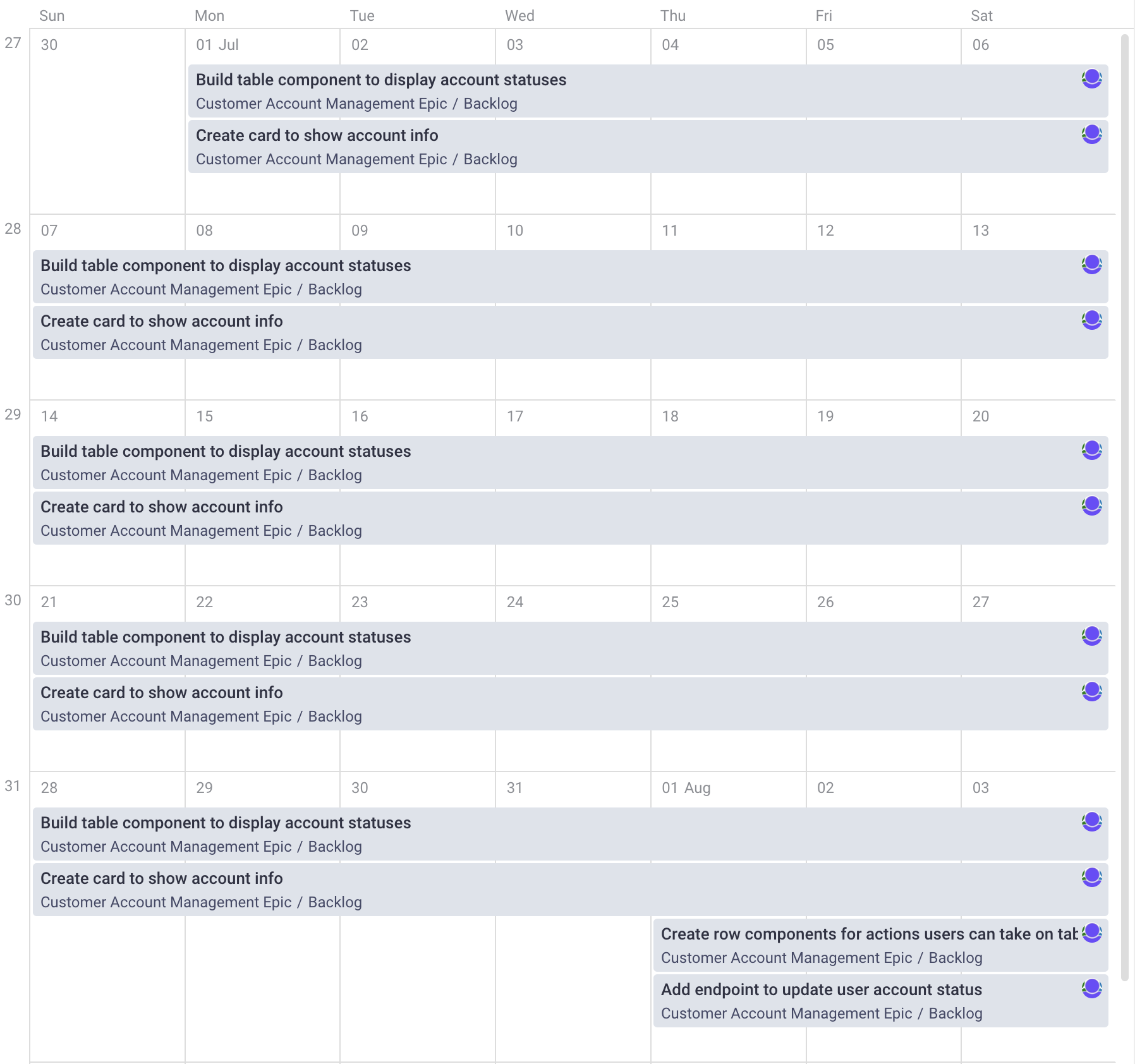
This roadmap should have more content for the year and all of the features should build off of each other. Ask the Product team about why a feature exists and how they add to user value. Be cautious if there isn’t a roadmap or it doesn’t extend very far. It could be a sign that the business problem isn’t well-understood or well-defined.
Don’t hesitate to ask deeper questions that aren’t on the technical side. It’s part of being in a collaborative environment. You can bring in ideas that make a feature more useful to users and easier to develop.
Infrastructure
Make sure you have access to all the resources you need to support the project across the full architecture.
That includes:
- Being able to login to the cloud platform and see the tools you need, like logging and monitoring.
- Being able to go through tickets and documentation in the organization’s tools, Jira or ClickUp.
- Being able to access and update code repos in GitHub or GitLab.
- Having access the database in the different environments so you can support debugging across the full stack.
- Making sure you can generate access tokens for APIs in each environment.
See what the PR rules are for your repos. Get an understanding of how the deployment pipeline works and where you can find logs for deployment issues. If there are any third-party services used, ensure you log in and make necessary updates. Find out if there are private packages the dev team uses and check that you can install and update them.
These are some of the things you need to get access to. Document everything you learn as you get access or update the existing docs. It’ll help the next devs that join and you and the team keep track of all the systems used. Be sure to ask questions about security as well because it can prevent common issues later.
Backend
Work with your team to choose a way to document and test requests and responses for your endpoints. Using a tool like Postman can help with both documentation and testing. Setting up a Swagger instance will definitely help with general documentation. There should be some strict code conventions on the backend to keep them all uniform.
Here are a few things to look for:
- Requests and responses will handle data in JSON format
- Check authorization for each endpoint
- Return standard error codes and custom messages
- Handle calculations, pagination, filtering, and sorting on the backend
- All endpoints receiving data should have validation
- Endpoint documentation should be updated with all changes
Something else you should check for is how your endpoints query the database. Think about the performance of your endpoints and determine if it’s worth optimizing the time complexity of the code. Always keep security in mind when you’re deciding what data to send in responses. As you write your endpoints, test them as you go and think about how the responses will be used.
Frontend
One of the first things you should do on a new project is look through the designs. If there’s an existing app, get some credentials to login and start clicking around. Remember that this is what your users will interact with. Regardless of how complex and sophisticated the backend is, users will only understand what they see. That’s why it’s good to spend time looking at the product from their perspective as soon as you can.
Look in the dev tools and see what API requests are made as you navigate through the pages. It’s also worth having the code open in an IDE and look at it as you go through screens. This will give you some idea of the logic in place. As you start understanding the technical side, ask if there’s a small bug or feature you can work on to quickly get hands on.
Testing
From the very beginning, start writing unit tests on both the frontend and backend. Decide on a test coverage amount with the team: 80% is a good target to start with. This will keep the team in the mindset of writing modular, easy to debug code. Vitest is a great tool for testing on the frontend. Mocha, Chai, and Sinon are great testing tools for TypeScript backend projects.
As you integrate the frontend and backend, consider writing integration tests with tools like Cypress or Playwright. When you have good test coverage, it will help you comfortably refactor code as your new project grows. Tests will also help you ask better product questions in meetings because you’ll find edge cases and conditions that weren’t defined.
Keep in mind the tradeoff of speedy feature development and writing tests. There have been some tests I’ve written that took longer to figure out than the actual implementation. Honestly, I’ve skipped tests that take that long.
Have you ever wondered how senior devs know so many things that you can’t find on blogs or in classes? I wrote a whole book with O’Reilly about all the secrets senior devs know that you might not. Please check it out! Full Stack JavaScript Strategies: The Hidden Parts Every Mid-Level Developer Needs to Know